

- Configure chat and calling features
- Apply theming and layout options
- Export Next.js-ready code
The exported Next.js code is built on the React UI Kit.
Because Next.js renders on the server by default, the chat components are loaded
client-side only — the Integration Guide
shows the
"use client" and SSR-disabling setup. Every React UI Kit component,
prop, and customization layer applies unchanged.What You Can Configure
Toggle these features on or off directly in the UI Kit Builder. For a full reference of each setting, see UI Kit Builder Settings.Chat Features
Call Features
Layout
Theming
How to Use UI Kit Builder
1. Design
Configure your chat layout, toggle features, and pick a theme using the UI Kit Builder.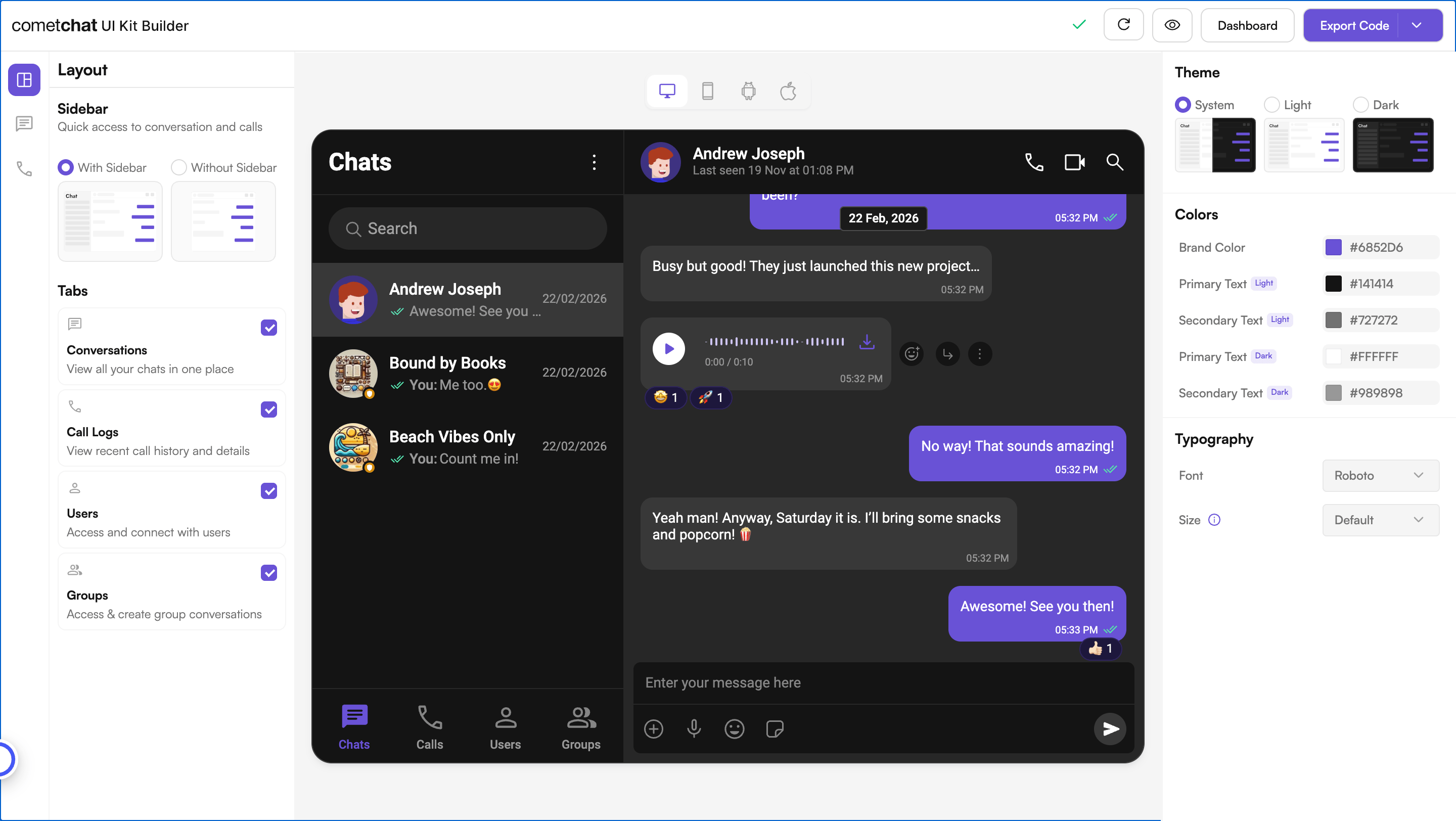
2. Export
Click Export Code to generate a production-ready Next.js codebase based on your configuration.3. Integrate
Drop the exported code into your Next.js project, add your CometChat credentials, and run the app. See the Integration Guide for full steps.Customize Further
After exporting and integrating, tailor the chat through several independent layers:UI Kit Builder Settings
Toggle features in
CometChatSettings.tsCustomizations
Adjust component props and slot views
Directory Structure
Find where each part of the exported code lives
Theming
Customize colors, typography, and dark mode